
Getting Started
Getting started: company onboarding path
The current path from website-assisted opportunity creation to recommendations, applications, and direct outreach.
Your next step
Start your first rep conversations
- 1. Find suitable reps
- 2. Unlock a strong fit
Review their experience, then use a credit.
- 3. Send an introduction
Reach out directly and plan your follow-up.
This is the fastest path from a new company account to focused rep conversations.
Start your first rep conversations
Already purchased? Watch the 3-minute walkthrough to find your matches, use contact credits, review applicants, and follow up. You can also search the rep directory yourself, using territory and industry filters to find suitable reps.
1. Create a credible opportunity
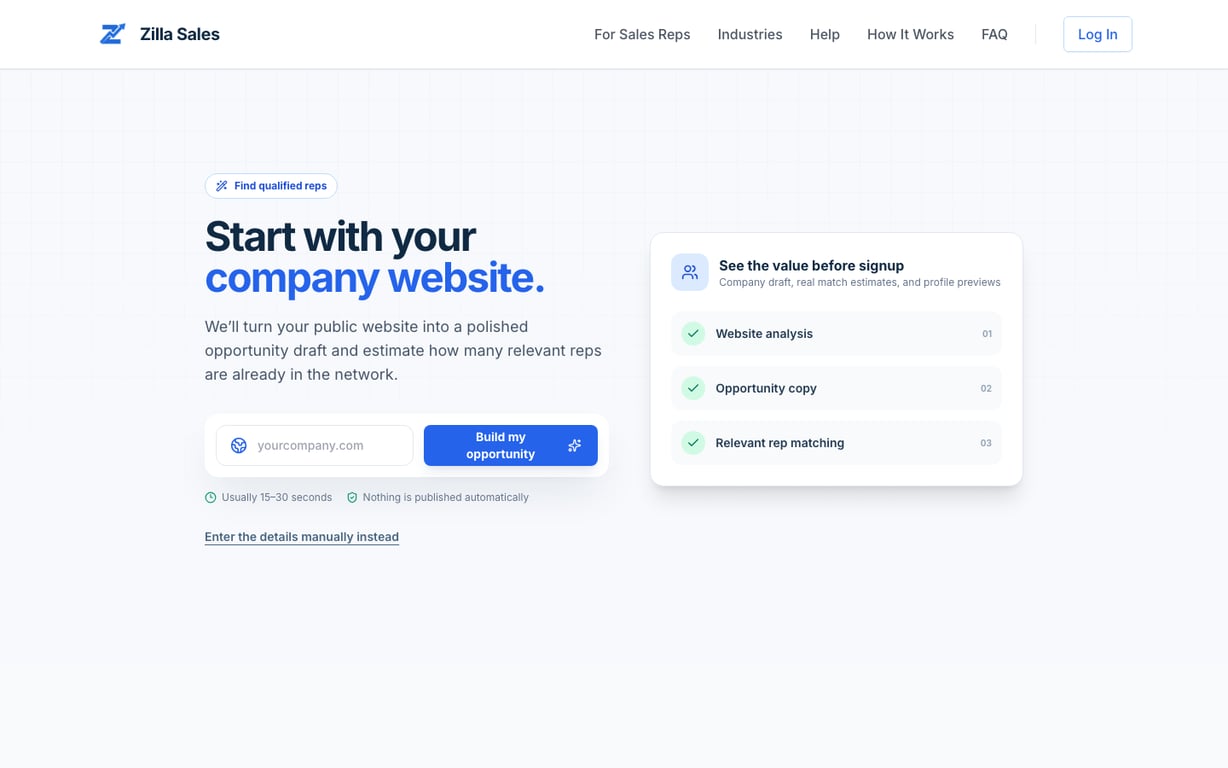
Open /post-opportunity. Start with your public website or enter the details manually. Confirm the product, target buyer, commission, industries, and territories before saving.
2. Activate the opportunity
Choose the access level that matches your outreach capacity. The pricing page and checkout show the offer assigned to you, including today's charge, future renewal amount, billing interval, and included credits. View live pricing.
3. Open Matches
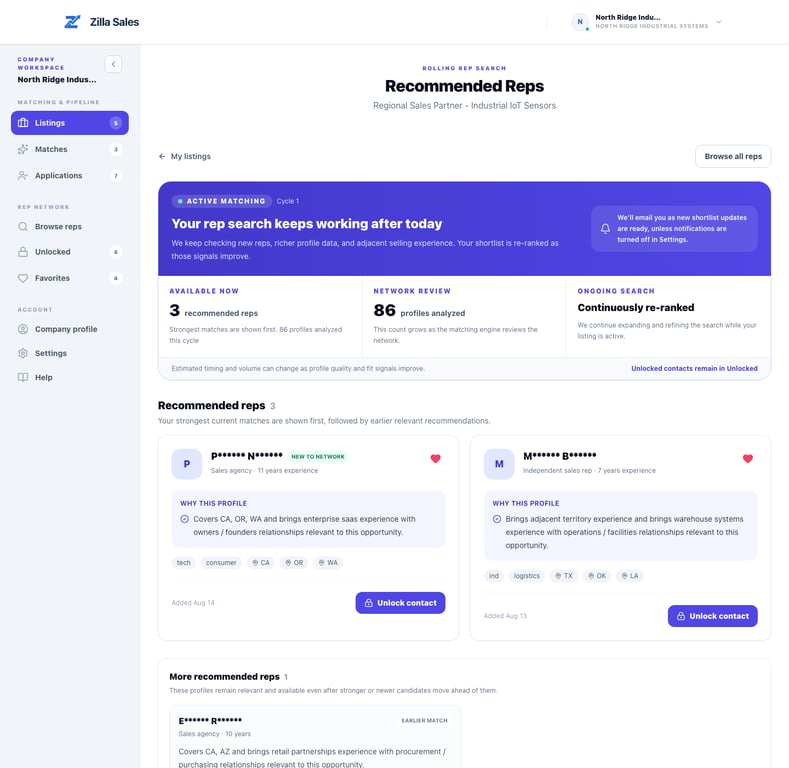
The first recommendations appear after enough profile evidence has been reviewed. Recommendations may arrive in batches and are re-ranked while the listing remains active. Do not assume that every recommendation has confirmed interest.
4. Work two paths
- Recommendations: review opportunity-specific fit, unlock selected contacts, and conduct direct outreach.
- Applications: respond quickly to reps who actively applied.
5. Keep track of outreach
Open the Outreach log for your unlocked contacts and applicants. Mark reps To contact, record what happens after your email or call, and add a follow-up date. Track rep outreach and follow-ups shows how to keep your next step clear. Saving an update does not send a message to the rep.
6. Keep the opportunity accurate
Update the offer when territory, commission, target buyer, or support changes. Better commercial inputs improve both matching and rep confidence.
What success looks like in week one
- The opportunity is approved and active.
- You understand the first recommendations and their rationale.
- You contact the strongest credible fits promptly.
- Matching-progress emails are configured in Settings.
Related guides
Was this article helpful?
Tell us whether this answered your question.