
Company
Set up a company profile reps can trust
Show reps who your company is, what it sells, and why the opportunity is credible before asking them to engage.
Your company profile is often the first trust check a rep makes after reading an opportunity. It should make the business easy to verify and give a consistent picture of the product, company, and people behind the listing.
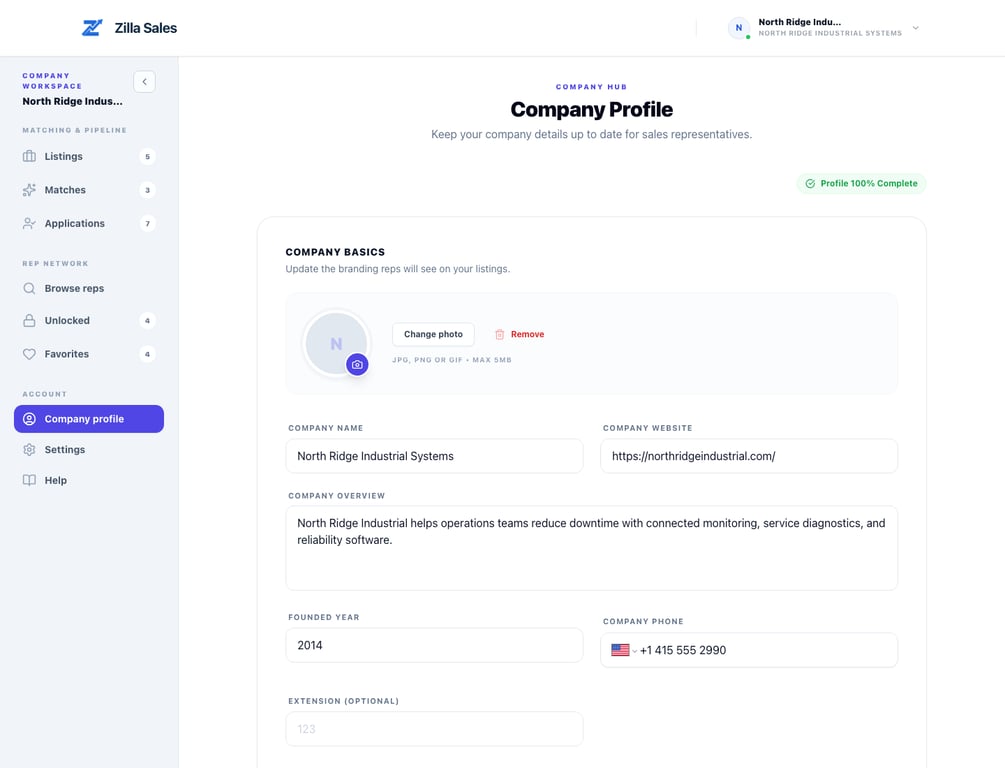
Complete the core fields
Open your company profile and add:
- The legal or operating company name reps will recognize
- A public company website using the correct domain
- A concise description of what the company sells and to whom
- A current phone number and headquarters location
- A LinkedIn company page when available
- A clean logo or brand image
- Relevant social or video links that help verify the business
Use information the company controls. Avoid generic stock identities, unrelated domains, personal social profiles presented as company pages, or claims that cannot be verified.
Write a useful company description
A useful description explains the product category, primary customer, and business value in plain language.
- Too broad: “We are an innovative technology company changing the future.”
- More useful: “North Ridge Industrial provides wireless condition-monitoring sensors and reliability software for plant maintenance teams.”
The opportunity itself should carry the detailed commission, territory, buyer, support, and sales-cycle information. The company description should establish the business behind it.
Keep the profile and listing consistent
Reps may question an opportunity when the company profile and listing describe different products, markets, or locations. Before activation, confirm that:
- The website belongs to the named company
- The product on the listing is visible or credibly explained
- The target market is consistent with the company’s positioning
- Contact and headquarters details are current
- The logo is readable and not stretched or cropped badly
- Commercial claims in the listing can be supported by your team
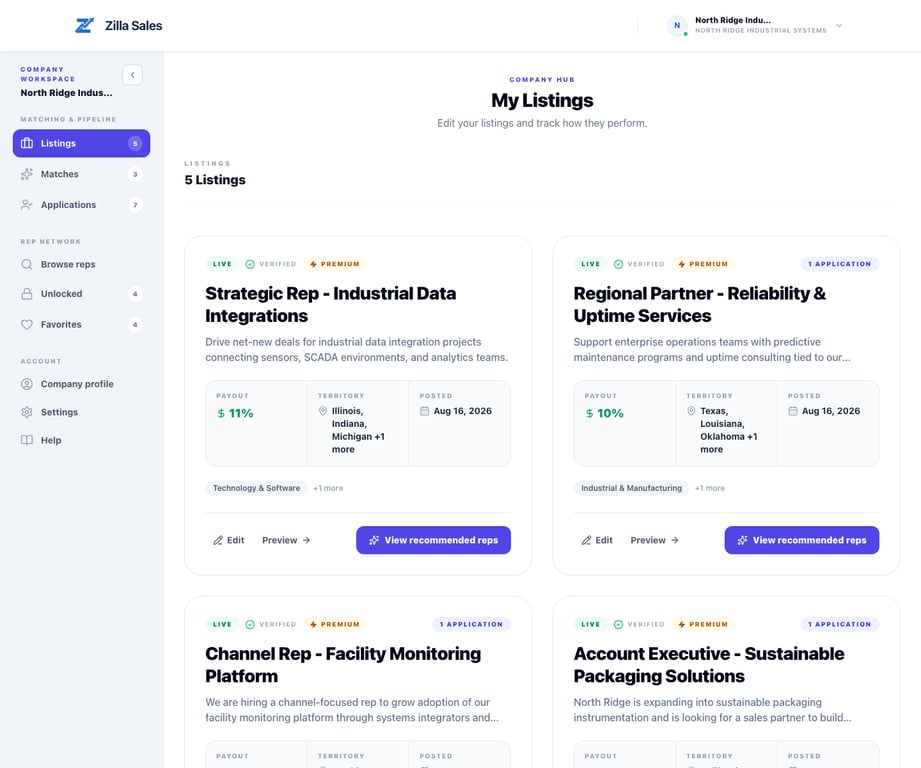
What reps use this information for
A rep may use the profile to verify that the business is real, understand the product category, prepare for a first conversation, and judge whether the opportunity belongs alongside existing lines. A complete profile supports trust; it does not replace a clear opportunity or guarantee applications.
Image and link quality
Use a square or nearly square logo with enough resolution to remain legible at small sizes. Prefer a company mark over a dense banner or screenshot. Test every external link after saving and remove links that are outdated, private, or unrelated.
If a field or image will not save
Read the validation message, check the URL format and required fields, and retry once with a supported image. If the problem continues, email support@zillasales.com with the company name, affected field, exact error, and screenshot. Do not send passwords or private billing information.
Review it when the business changes
Update the profile after a rebrand, acquisition, domain change, headquarters move, or material product-positioning change. Then review active listings so the public story remains consistent.
Related guides
Was this article helpful?
Tell us whether this answered your question.