
Company
Listing review, statuses, and visibility
See what every listing status means, what remains visible during an edit, and how to resolve a listing that is not live.
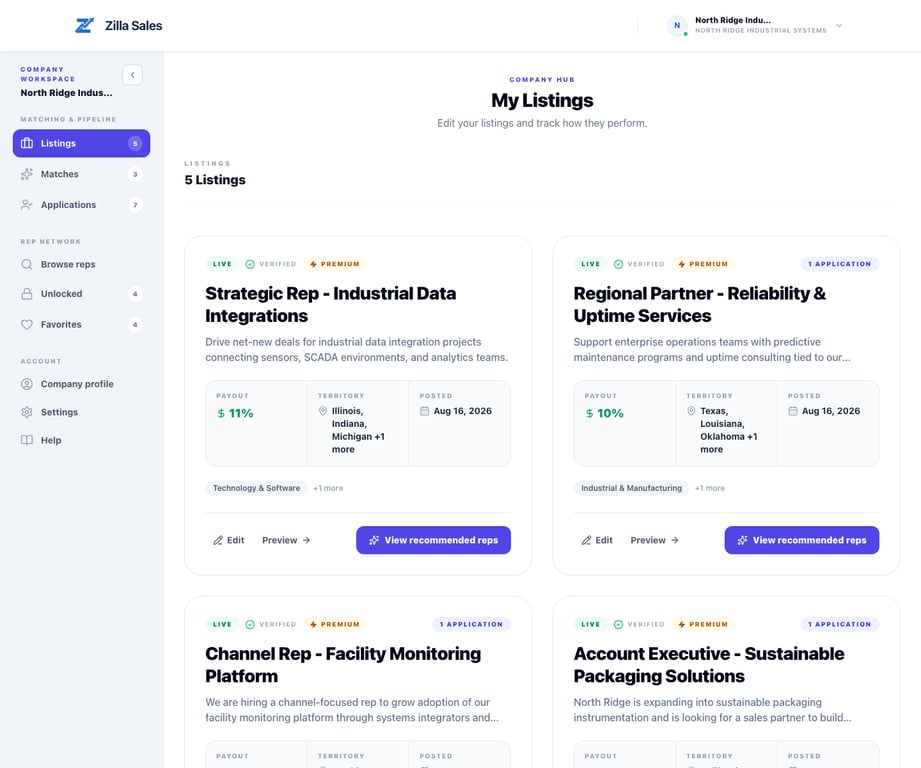
A listing’s publication status determines whether reps can discover it. Review status is separate from matching progress, applications, subscription history, and whether a listing was previously paid.
Most new reviews are completed within 24 hours or sooner. That is a typical operating target, not a guaranteed publication time. A new listing stays private to reps while it is under review.
Status guide
| Status | What it means | What to do |
|---|---|---|
| Under Review | The listing was submitted but has not been approved for publication. | Confirm the content is complete and monitor the account email. |
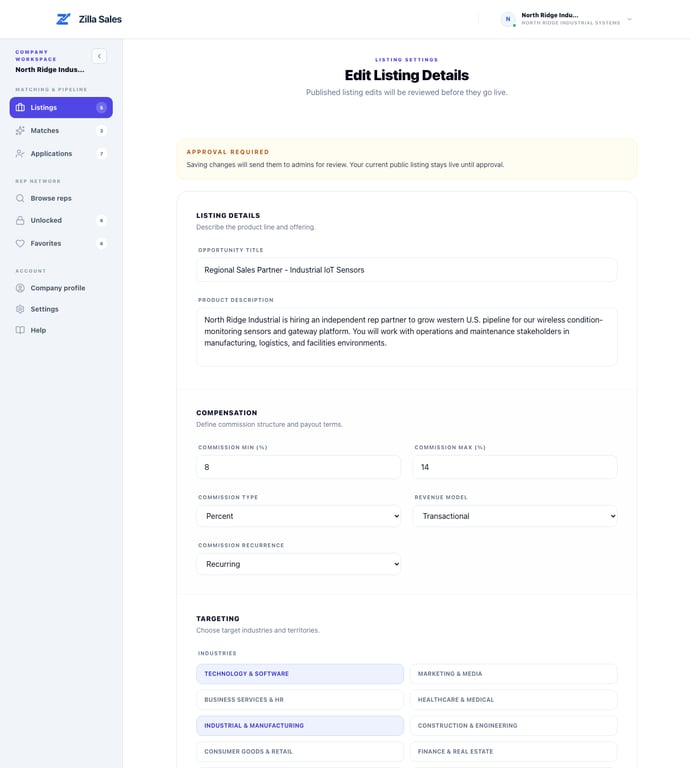
| Edits Pending | A revision to an approved listing is waiting for review. | The current approved version may remain live while the revision is reviewed. |
| Live | The listing is approved, published, and available according to its visibility and plan state. | Monitor Matches and Applications and keep the details accurate. |
| Not Live | The listing is not currently published. | Open the listing and check its saved state, review result, and available actions. |
| Hidden | The listing is intentionally excluded from normal public discovery. | Contact support if this does not match the expected state. |
| SEO-only | The public page may exist for search visibility without normal marketplace distribution. | Contact support if you expected active rep distribution. |
A canceled subscription can still have access through the end of its paid period. Historical payment and current access are different facts; use Billing & Plan as the source of truth for the current subscription state.
What Zilla reviews
Zilla checks whether the opportunity is complete, credible, appropriate for independent sales reps, and clear enough for a rep to evaluate. Formatting or wording may be adjusted for consistency. Your company remains responsible for confirming every commercial fact.
A review may take longer when product, buyer, territory, compensation, or company details are missing or contradictory; the company cannot be verified; the opportunity does not fit an independent-rep arrangement; the submission duplicates another listing; or review volume is unusually high.
If you edited a live listing
A material edit can send the revision back to review. The current approved version may remain live while the pending revision is checked. Read the approval notice in the editor before saving.
Do not create a duplicate listing just to bypass review. Use Correct, edit, or replace a listing when the content needs to change.
If the listing is not visible to reps
Check these in order:
- Open Listings and read the displayed status.
- Confirm the review has been approved.
- Confirm the listing is published rather than intentionally inactive.
- Review Billing & Plan in Settings for current access.
- Open the listing and verify that the product, buyer, territory, and compensation fields saved.
- Allow a short propagation window after approval or a status change.
- Recheck Matches and rep discovery rather than relying only on the public URL.
A vague or narrow listing can produce limited matching even when it is technically live. That is a relevance problem, not necessarily a visibility problem.
When to contact support
If a complete listing remains under review for more than 24 hours, or the displayed state contradicts what your team expects, email support@zillasales.com. Include the company name, account email, listing link, submission or edit time, expected state, and a screenshot.
Do not resubmit the same listing unless support asks you to. Duplicate submissions can slow diagnosis rather than publication.
After the listing goes live
Review both Matches and Applications. Matching can surface recommended profiles before a rep applies, while applications represent independent inbound interest. Use credits and direct outreach to create momentum instead of waiting only for inbound activity.
Related guides
Was this article helpful?
Tell us whether this answered your question.