
Troubleshooting
No matches or applications yet
Zilla actively matches relevant reps to your opportunity. Learn how matching differs from applications, what to check, and how to use credits and direct outreach to build momentum.
A live opportunity can have recommendations before it has applications, or applications before a strong recommendation set is ready. These are separate workflows, so check both before deciding that the search has stalled.
Zilla also matches reps for you
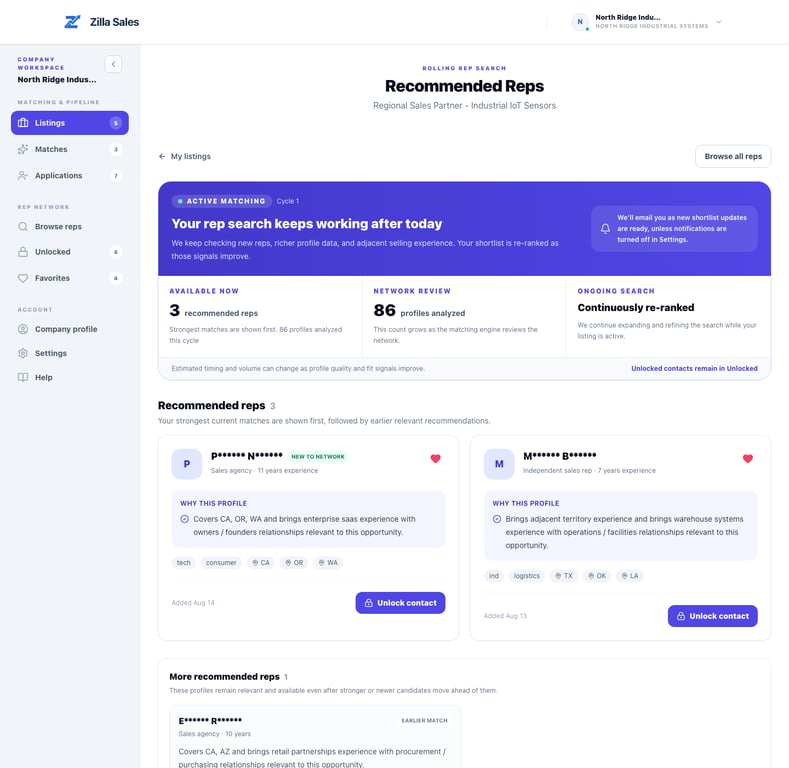
Zilla actively analyzes rep profiles against your published opportunity and surfaces relevant people in Matches. These recommendations are our way of helping you find potential fits; they do not require a rep to apply first. Matching continues as suitable profiles are identified, so new recommendations may arrive over time.
A recommendation is a starting point, not a guaranteed response or endorsement. Review the evidence shown on each profile, use a credit when the fit looks credible, and contact the rep directly.
Start with the status
Confirm that the opportunity is approved, published, and attached to the intended plan. A draft, pending, paused, closed, or inactive listing cannot perform like an active one.
Then open:
- Matches for profiles Zilla identified as possible fits.
- Applications for reps who actively responded.
- Browse reps for a broader search you can work proactively.
What timing should you expect?
Recommendations can arrive in batches while profile evidence is reviewed. Inbound application timing is less predictable because an application depends on an independent rep choosing to respond. Companies commonly begin seeing applications around 7–10 days after a listing goes live, but this is not a guarantee. A narrow territory, buyer, product category, or compensation model can take longer or produce fewer responses.
Do not wait only for applications
A self-service plan works best when your company also creates outbound momentum. If you have not received a response yet:
- Review the strongest current matches and browse the wider rep directory.
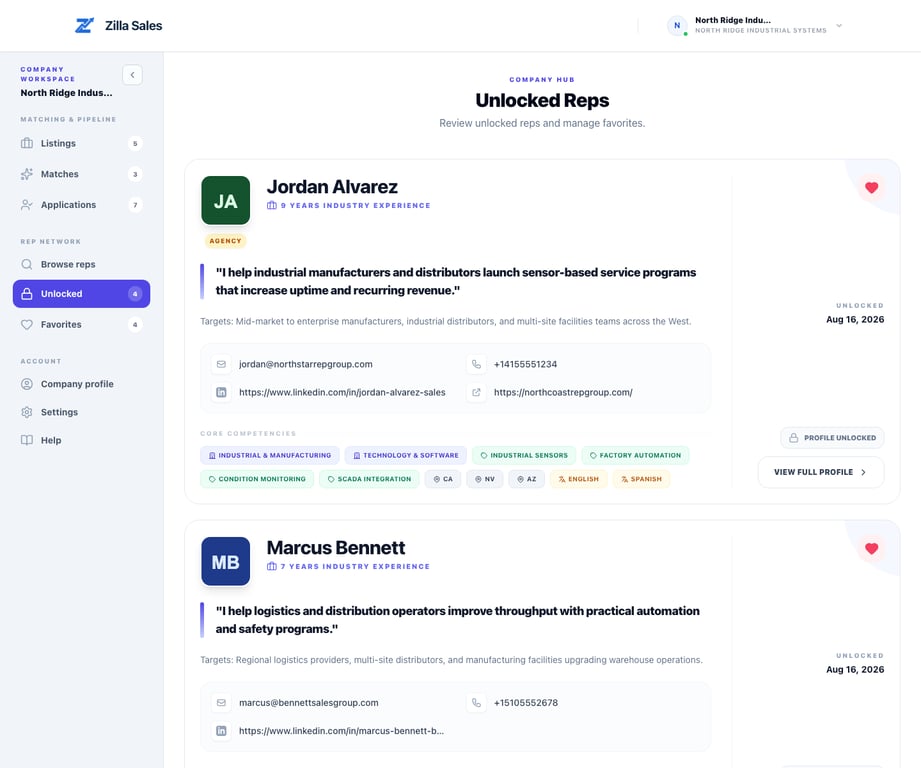
- Use credits selectively on profiles with credible buyer, territory, channel, or product overlap.
- Contact those reps directly with a short, relevant explanation of the opportunity.
- Follow up after the initial message when appropriate. Use the Outreach log to record the attempt, reply, and next follow-up date; Track rep outreach and follow-ups explains the workflow.
- Keep working other strong-fit profiles rather than waiting for one rep to answer.
Unlocking a contact does not guarantee a response, meeting, hire, or sale. It gives your team the information needed to perform its own outreach.
Improve the opportunity before expanding the search
Check the details that most influence rep interest and matching:
- A specific product and target buyer
- Realistic territories and channels
- Clear commission range, recurrence, deal size, and sales cycle
- Proof of demand, customer traction, samples, training, leads, and fulfillment support
- Adjacent experience you would genuinely accept
Avoid making the criteria so broad that the offer becomes vague or so narrow that credible adjacent reps are excluded.
When to contact support
Contact support@zillasales.com if the opportunity should be active but shows an incorrect status, the matching workspace is not loading, or the results appear inconsistent with the saved criteria. Include the opportunity link, exact filters used, and a short description of the rep profile you expected.
Related guides
Was this article helpful?
Tell us whether this answered your question.