
Company
Manage your company listings
Manage live listings, open rolling recommendations, separate applicants from matches, and understand when edits require review.
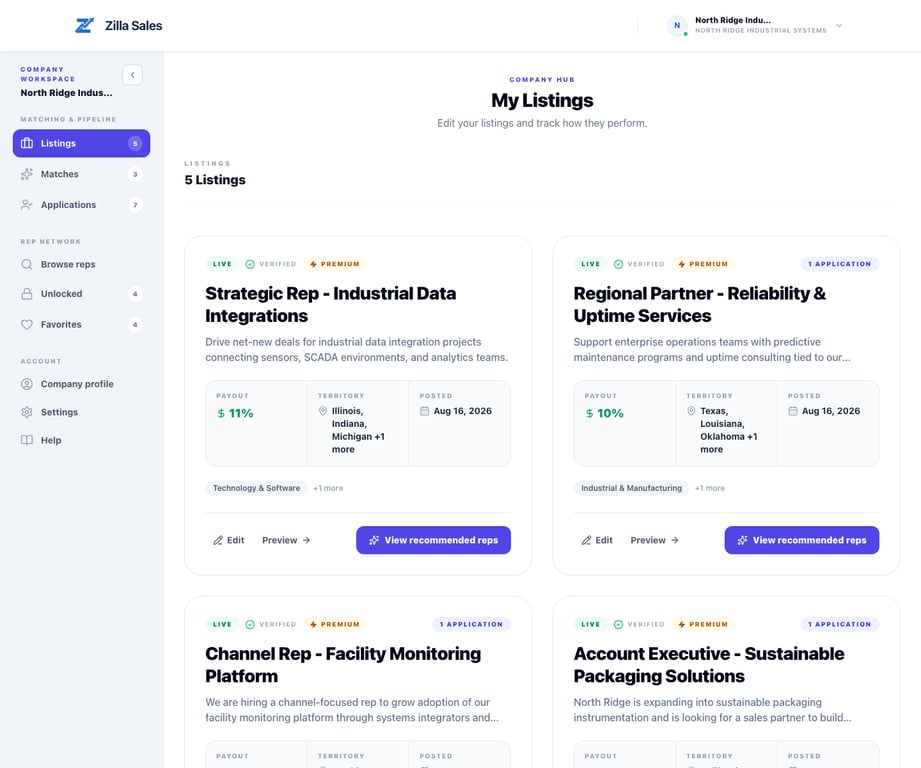
Your listings dashboard is the operating center for every active opportunity. It brings publication status, applications, edit controls, and the matching workspace together.
Regular operating workflow
- Open Listings and identify opportunities awaiting review or team action.
- Use View recommended reps to follow the rolling shortlist for an active listing.
- Open Applications separately for reps who actively responded.
- Edit the listing when the product, buyer, territory, channel, commission, or available support changes.
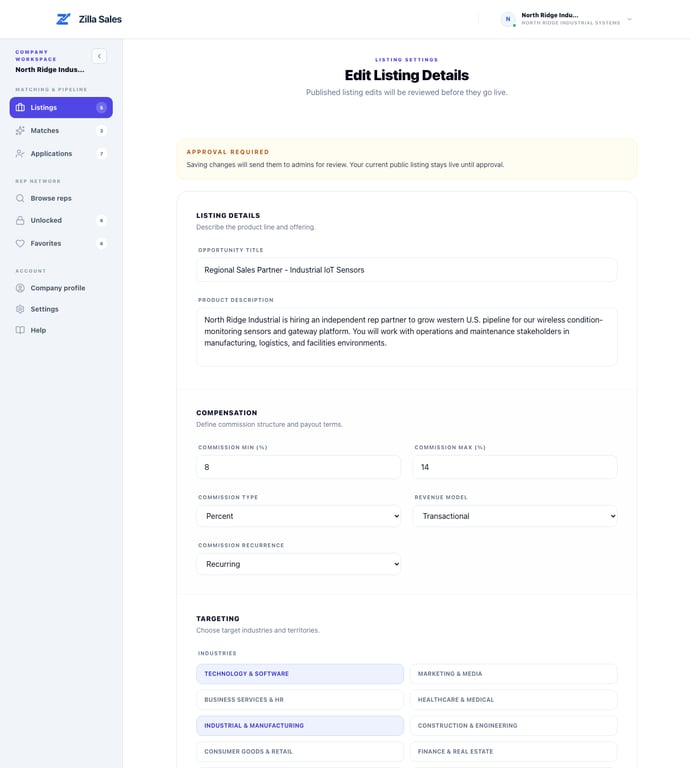
What happens after an edit
Edits to a published listing can require approval. The current public version remains live while the revision is reviewed. Material changes can also affect which profiles rank as the strongest recommendations.
Keep each listing useful
- Make the product and target buyer specific.
- Keep territories limited to markets you can genuinely support.
- State realistic commission terms and the expected selling motion.
- Add proof, enablement, lead support, and fulfillment detail where available.
- Close or pause work you cannot actively service so applicants and recommended reps receive timely follow-up.
Related guides
Was this article helpful?
Tell us whether this answered your question.