
Company
Correct, edit, or replace a listing
Keep your opportunity commercially accurate when a draft or review adjustment needs correction, replacement, or another territory version.
Website analysis and assisted drafting are designed to give you a useful starting point. During quality review, Zilla may also make formatting or wording adjustments so opportunities are consistent and easier for reps to evaluate. Your company remains responsible for confirming that every commercial fact is accurate.
Review suggested copy before activation
Check the title, product, target buyer, territories, channels, commission, recurrence, proof, and support offered to the rep. Suggested text should never replace your judgment about what the company can deliver.
If a draft is materially wrong, edit it before activation instead of assuming the review team will infer the intended meaning.
Edit a saved or published listing
- Open Listings.
- Select the opportunity you want to change.
- Update the inaccurate fields.
- Review the complete listing, not only the changed sentence.
- Save the revision.
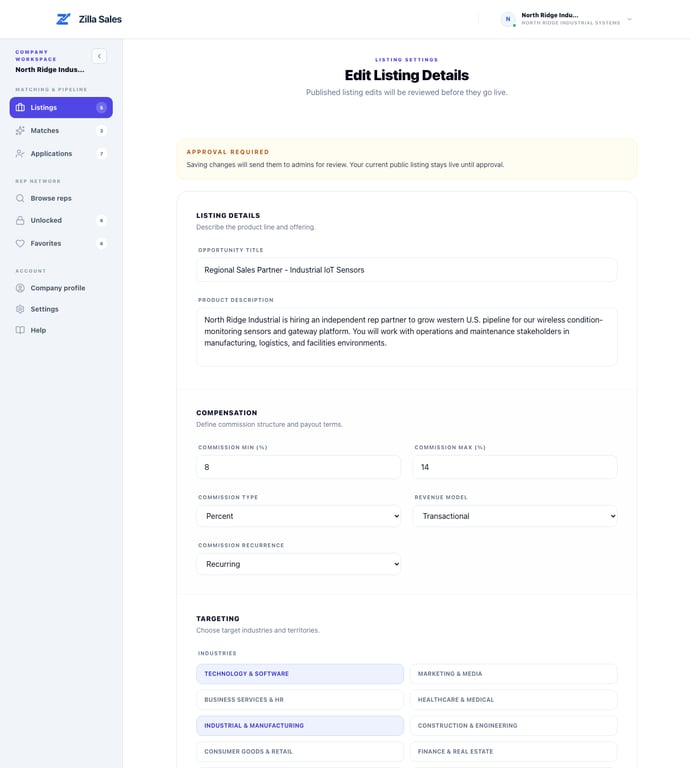
Changes to a published opportunity may require another review. The current approved version can remain public while the revision is pending. If editing is temporarily locked, check the review status and try again after the pending review is complete.
If you need the earlier wording restored
The editor may not provide a one-click version restore. Paste the accurate wording into the relevant fields when you have it. If you need help recovering or replacing prior copy, email support@zillasales.com with the opportunity link and the exact text that should appear. Do not send only “please revert”; identify the title, description, territory, or commercial term that is incorrect.
Duplicate or accidental listings
For a similar opportunity in another territory, create a separate listing only when the role or market genuinely needs separate targeting. Reuse the accurate commercial details, then change the territory-specific information before submission. Current plan limits still apply.
If the same opportunity was submitted more than once by mistake, keep the correct version and pause or close the duplicates from Listings. Contact support if a duplicate cannot be managed from the workspace.
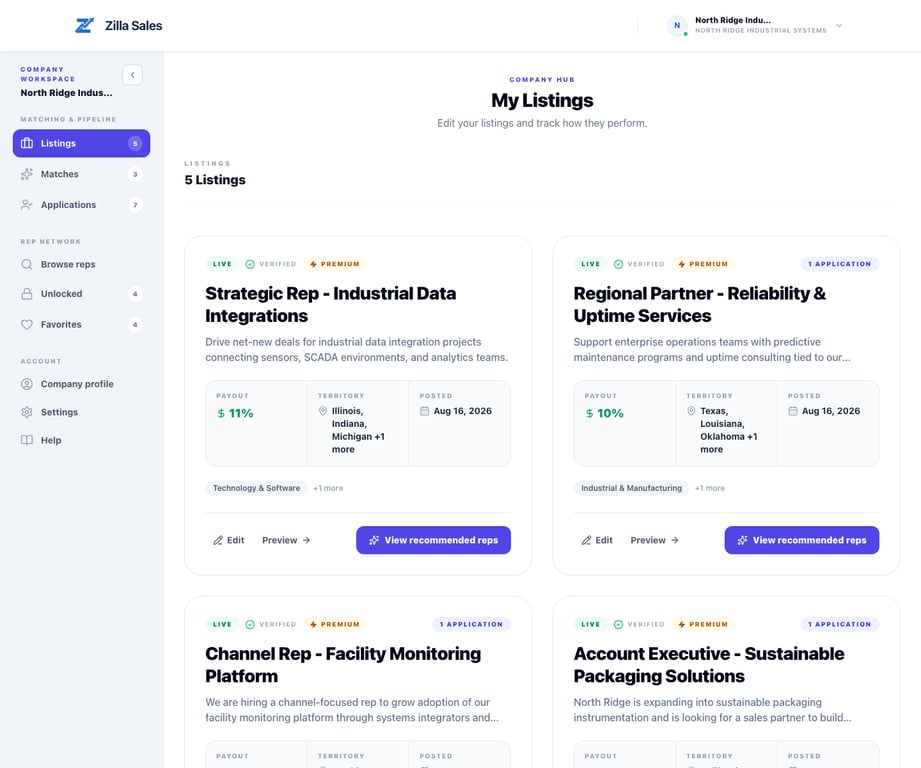
Changes that can affect results
Editing the buyer, territory, product category, channel, or compensation can change recommendations and rep interest. After approval, revisit Matches and Applications, then proactively contact the strongest relevant reps using your available credits.
Related guides
Was this article helpful?
Tell us whether this answered your question.