
Company
Rep verification, interest, and contact quality
Separate profile evidence from current interest, perform direct diligence, and report inaccurate or unreachable contact information.
A rep profile can contain identity, contact, territory, industry, buyer, product, and line-card evidence. That evidence helps you judge possible fit, but it does not by itself prove that the rep has seen your opportunity, is currently available, or has agreed to carry your line.
Know the rep's actual intent stage
- Recommended rep: profile evidence suggests possible fit; current interest is not confirmed.
- Applicant: the rep actively responded to the opportunity.
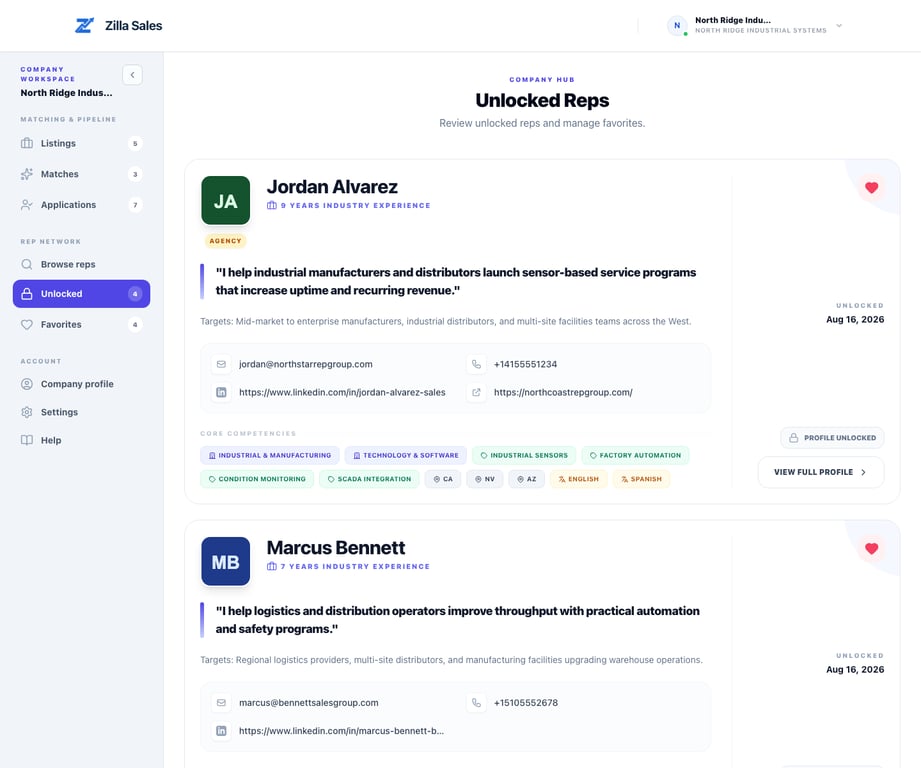
- Unlocked rep: your company selected the profile and received the available contact details. This does not mean the rep replied.
- Verified introduction: fit and current interest were separately confirmed through an accepted Managed Campaign.
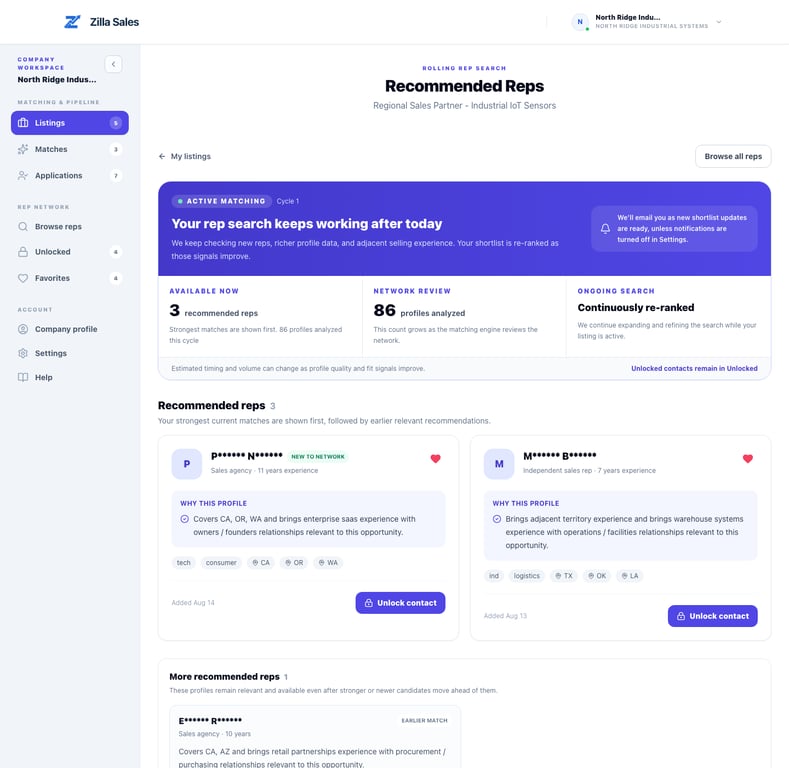
When you unlock a contact, Zilla may notify the rep if notification settings and email delivery allow. Do not treat that notice as your outreach. Your company should still send a direct, relevant message and follow up professionally.
What your company should verify
Before entering an agreement, confirm directly:
- Identity and current contact information
- Relevant customers, products, territories, and channels
- Current availability and interest
- Existing line conflicts or exclusivity
- References and any credentials important to the role
- Independent-contractor classification, compliance, commission, and payment terms
Zilla facilitates discovery and introductions. The company and rep remain responsible for diligence and their agreement.
If an email bounces or information is wrong
- Check the other available contact channels on the unlocked profile.
- Confirm that the address was copied correctly and note the delivery error.
- Email support@zillasales.com with the rep profile link, unlock date, and the specific field or delivery problem.
- Continue working other strong-fit profiles while the record is reviewed.
Support can investigate and correct platform data where appropriate. Do not assume that a credit adjustment is automatic; the current policy and the facts of the contact issue determine the resolution.
If a rep says they are not interested or not available
Treat that as current market feedback. Thank the rep, end the outreach respectfully, and move to another credible profile. An unlock purchases contact access, not acceptance of the opportunity. Use what you learned to improve targeting or the commercial offer.
Related guides
Was this article helpful?
Tell us whether this answered your question.