
Company
How to favorite reps and build a useful shortlist
Use Matches for opportunity-specific recommendations and Favorites to organize profiles you want to revisit.
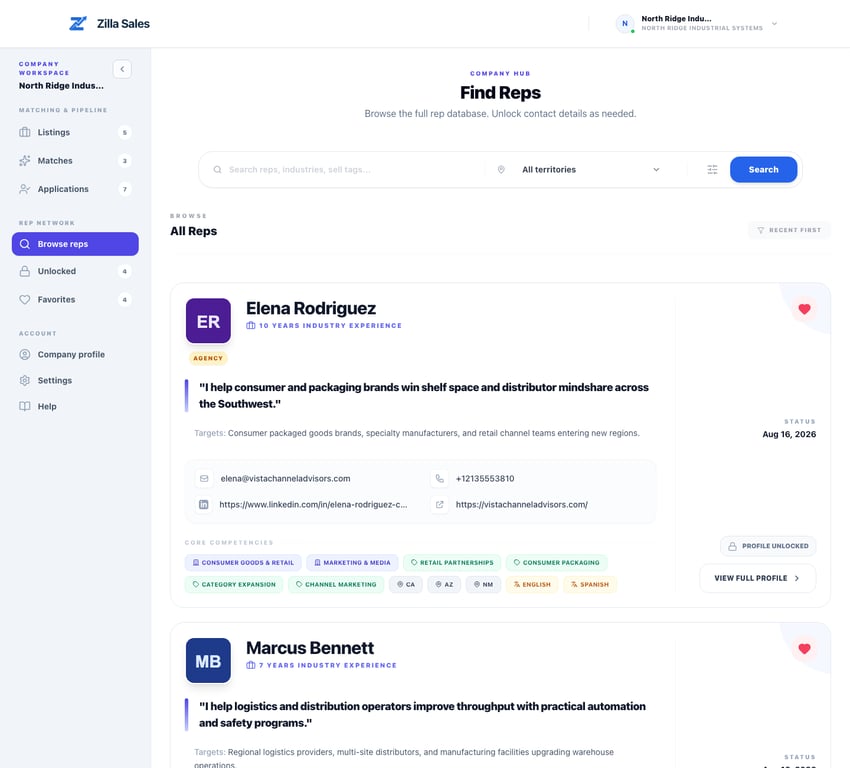
Favoriting is a personal organization tool for profiles you may want to revisit. It is different from the opportunity-specific shortlist under Matches.
Suggested workflow
- Start with Matches when recruiting for an active opportunity; those profiles are ranked against that listing.
- Use Browse reps when you want to explore the wider network yourself.
- Favorite relevant profiles from either path.
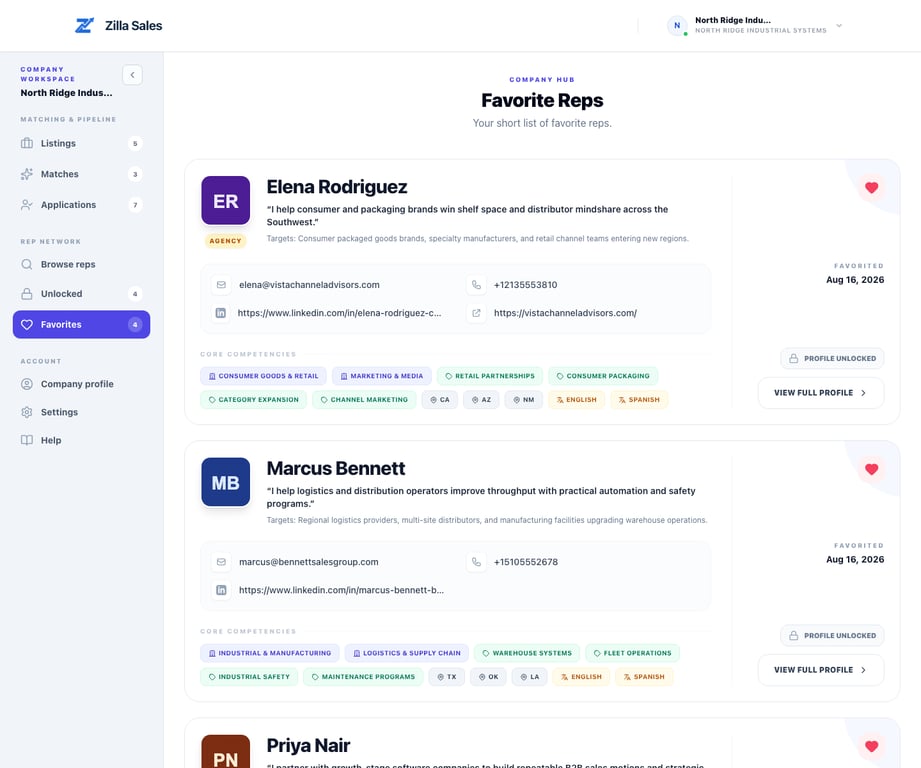
- Open Favorites to compare the saved set before deciding whether to unlock.
- Keep only profiles your team can evaluate or contact soon.
What to check before unlock
- Territory and travel coverage
- Target buyer and industry evidence
- Product, channel, or credible adjacent experience
- Line-card conflicts or complementary products
- Relevance to the specific opportunity
Favoriting does not notify the rep, confirm interest, or consume a credit. Unlocking is the separate action that reveals available contact details.
Favoriting alone does not add a rep to the Outreach log. Once the contact is unlocked or the rep has applied, use the log to record outreach and next steps. See Track rep outreach and follow-ups.
Related guides
Was this article helpful?
Tell us whether this answered your question.