
Rep
Apply to an opportunity
Apply when your buyer, product, territory, and commercial fit are credible—and know exactly what happens after submission.
An application tells the company that you are interested in its opportunity. Apply where your profile provides credible evidence of fit; the company will review the profile and line card already attached to your account.
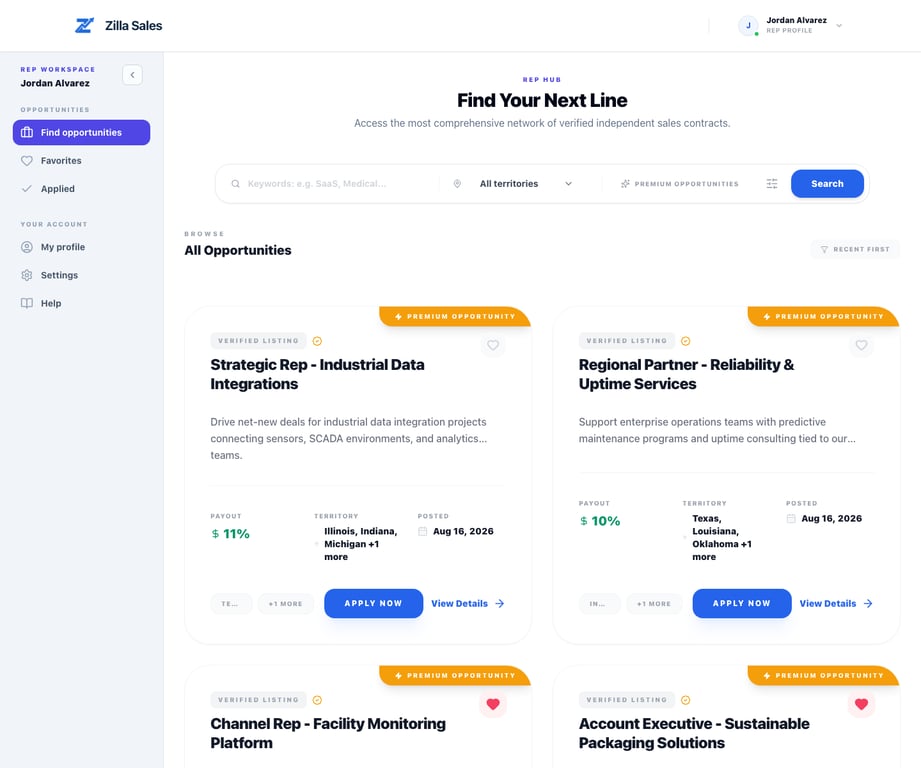
Before you apply
Open the complete listing and confirm:
- The requested territory matches where you can work now
- You understand or already reach the target buyer
- The product complements your current line card
- The commission model and likely sales cycle are workable
- The company’s support, proof, fulfillment, and expectations are clear enough
- Your profile and contact information are current
If your fit depends on adjacent experience, make that relationship easy to see in your profile. Do not add inaccurate industries or territories just to match the listing.
Submit the application
- Open Opportunities.
- Search or filter to a promising listing.
- Open the opportunity and read the complete description and commercial details.
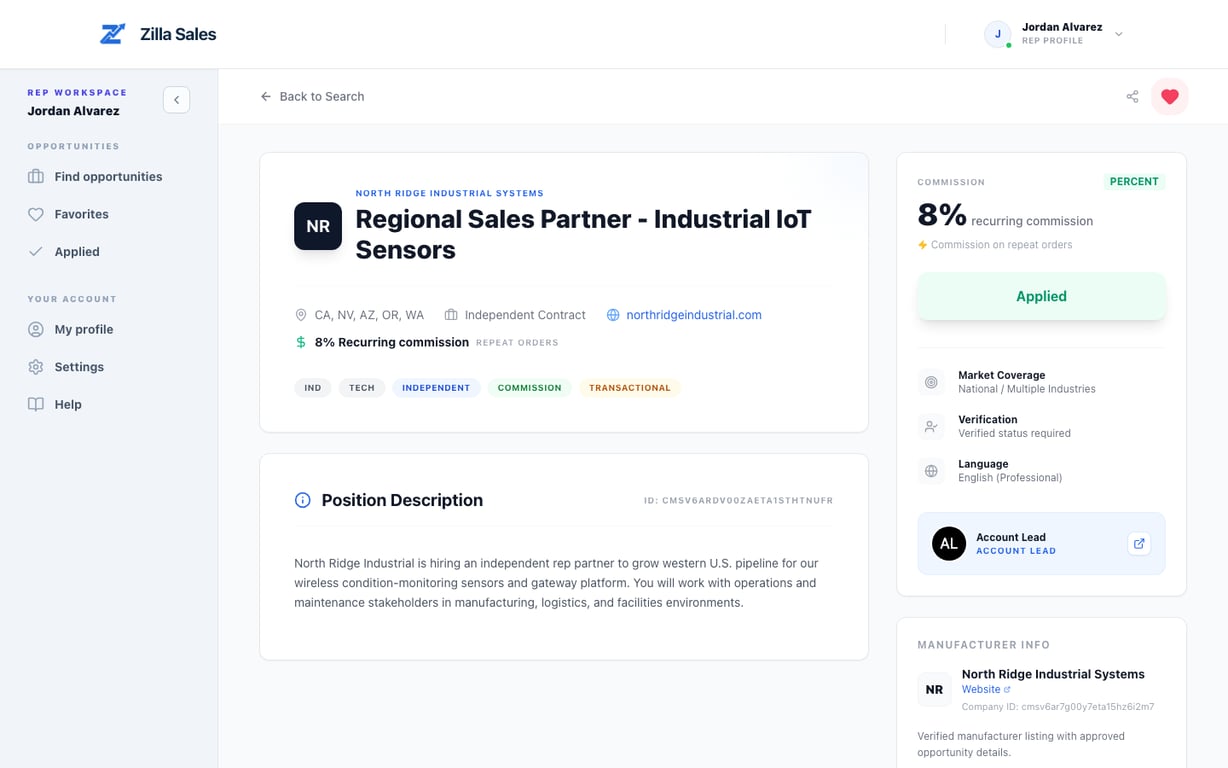
- Select Apply Now.
- Wait for the action to change to Applied.
- Open Applied to confirm that the listing is recorded.
The company receives the application through its Applications workspace. It can review your current profile evidence and decide whether to favorite or unlock the contact details available for your profile.
What makes the application stronger
Because the company evaluates the attached profile, improve the evidence before applying:
- Use a specific one-liner naming product, buyer, and territory
- Keep target customers concrete
- List current channels and complementary products
- State territories you genuinely cover
- Disclose relevant conflicts or operating expectations
- Remove outdated or overly broad claims
A strong application makes the fit easy to verify. High application volume does not compensate for a weak or incomplete profile.
If you started while signed out
Select Sign in to apply and complete authentication with the email attached to your rep account. Zilla preserves the opportunity destination so you can return after sign-in. If you reach the wrong account area, follow Sign in and troubleshoot login problems.
If the application does not complete
Check the page for a validation or network error. Refresh once, verify that you are signed into a rep account, and confirm your profile exists. Then reopen the opportunity and check whether the button already says Applied or the item appears in Applied.
Do not repeatedly submit while the first request is processing. If the state remains inconsistent, email support@zillasales.com with the opportunity link, account email, approximate time, error text, and screenshot.
After submission
A submitted application cannot guarantee contact or selection. Keep monitoring the account email and current notification settings, continue evaluating other high-fit listings, and be prepared to respond promptly if the company unlocks your contact.
Related guides
Was this article helpful?
Tell us whether this answered your question.