
Rep
Your profile was claimed: what to do next
If your profile was pre-created, this checklist helps you verify it and apply with confidence.
If you see the claimed-profile screen, your account was matched to an existing rep profile. Review it before applying.
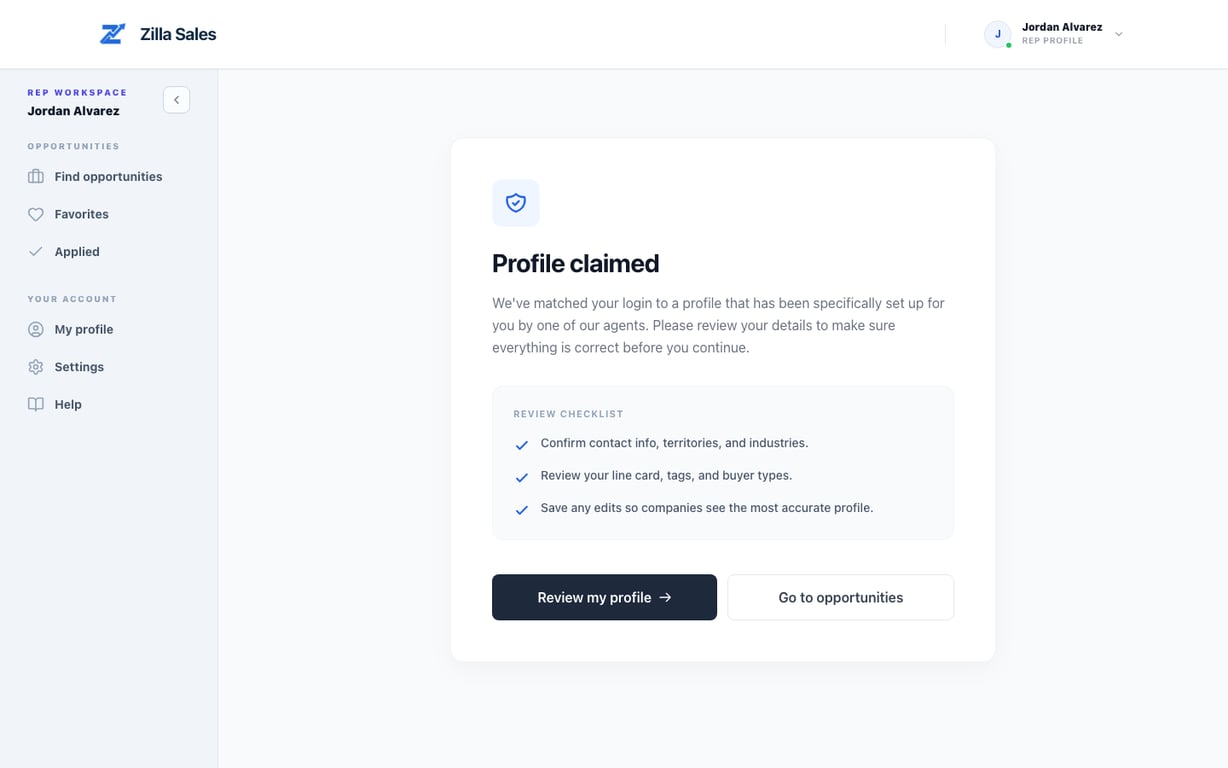
What to do immediately
- Select Review my profile.
- Confirm contact details, industries, and territories.
- Update any outdated line-card fields.
- Save changes before applying.
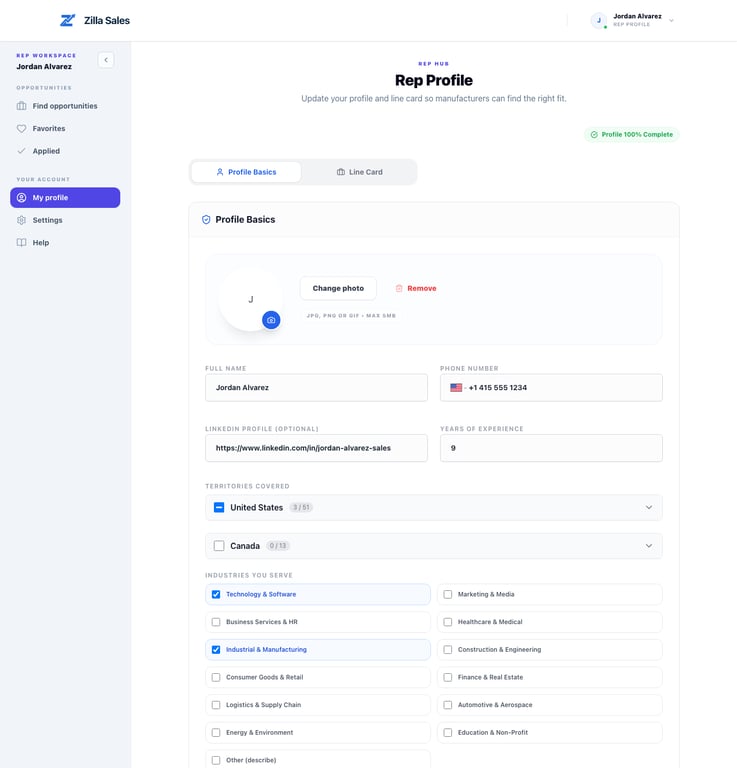
High-impact checks
- Territory coverage is accurate
- Core industries are current
- One-liner clearly states your value
- Target customer field is specific
Related guides
Was this article helpful?
Tell us whether this answered your question.