
Rep
Find and save relevant opportunities
Use search, filters, and favorites to build a small list of opportunities that match your buyers, products, and territory.
A focused opportunity search is more useful than applying at high volume. Start with the buyers, products, and territories where you already have credible experience.
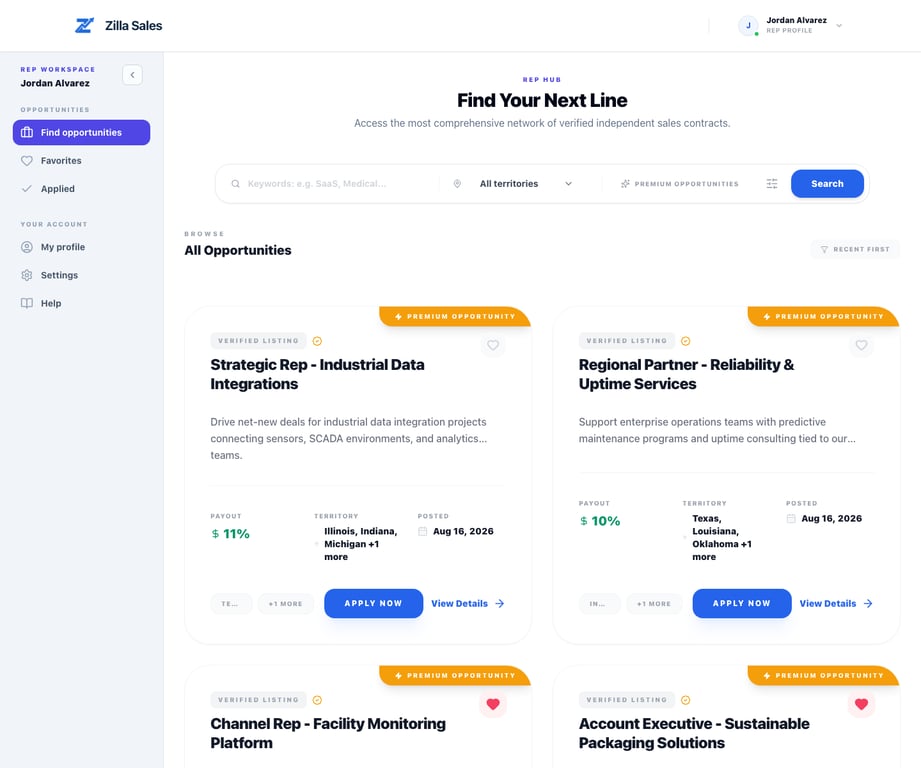
Search in a repeatable order
- Open opportunities.
- Search for a product, industry, buyer type, or company name.
- Narrow the results to territories and categories you can actively cover.
- Open several promising listings and compare the complete commercial details.
- Save the strongest fits before deciding where to apply.
A keyword match alone is not enough. Read the full opportunity and confirm that the selling motion makes sense for your current business.
Judge the real fit
Prioritize listings where you can answer yes to most of these questions:
- Do I already reach the stated buyer or a closely related one?
- Can I cover the requested territory without overstating my reach?
- Does the product complement my current line card?
- Are the commission model, sales cycle, and likely deal size workable?
- Can I explain my relevance in one or two specific sentences?
- Do I have enough capacity to follow up if the company responds?
An adjacent product can still be relevant when the buyer, channel, and territory overlap. A familiar industry without buyer access may be a weaker fit.
Use favorites as a working shortlist
Select the favorite control on a listing you want to compare or revisit. Then open Favorites to see the saved set.
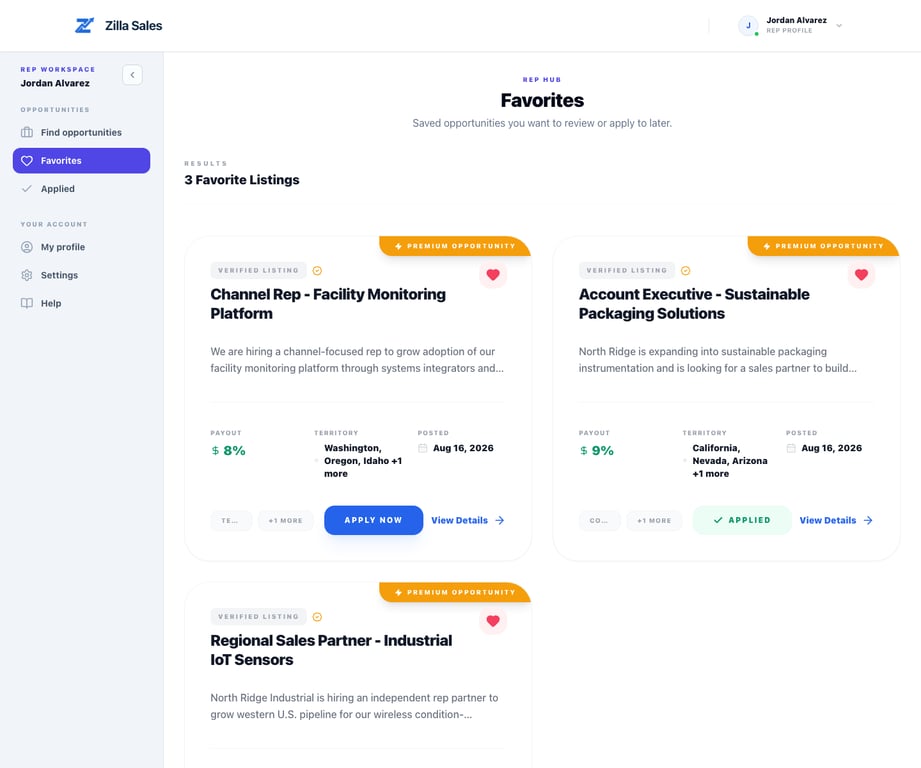
Favorite an opportunity when you intend to review or apply soon. Remove it when the listing is no longer relevant, the commercial terms do not fit, or you have already decided not to proceed. Favorites do not notify the company and do not submit an application.
A useful weekly routine
- Search two or three times per week
- Compare your saved opportunities before applying
- Apply to the highest-fit listings first
- Remove closed, stale, or low-fit items
- Update your profile when your territory or line card changes
- Notice which combinations of buyer, product, and territory produce responses
If an expected opportunity is missing
The listing may still be under review, no longer live, restricted by its current visibility, or outside your selected filters. Clear the filters and search by a shorter phrase. If you received a direct opportunity link, open it while signed into the correct rep account.
If the page or listing still does not load, contact support@zillasales.com with the listing link and the filters you used.
Related guides
Was this article helpful?
Tell us whether this answered your question.