
Account
Delete or recover your account
Request permanent account deletion, understand subscription cancellation, or restore the account within 30 days.
You can request account deletion directly from Settings. The account is deactivated immediately and scheduled for permanent deletion after a 30-day recovery period.
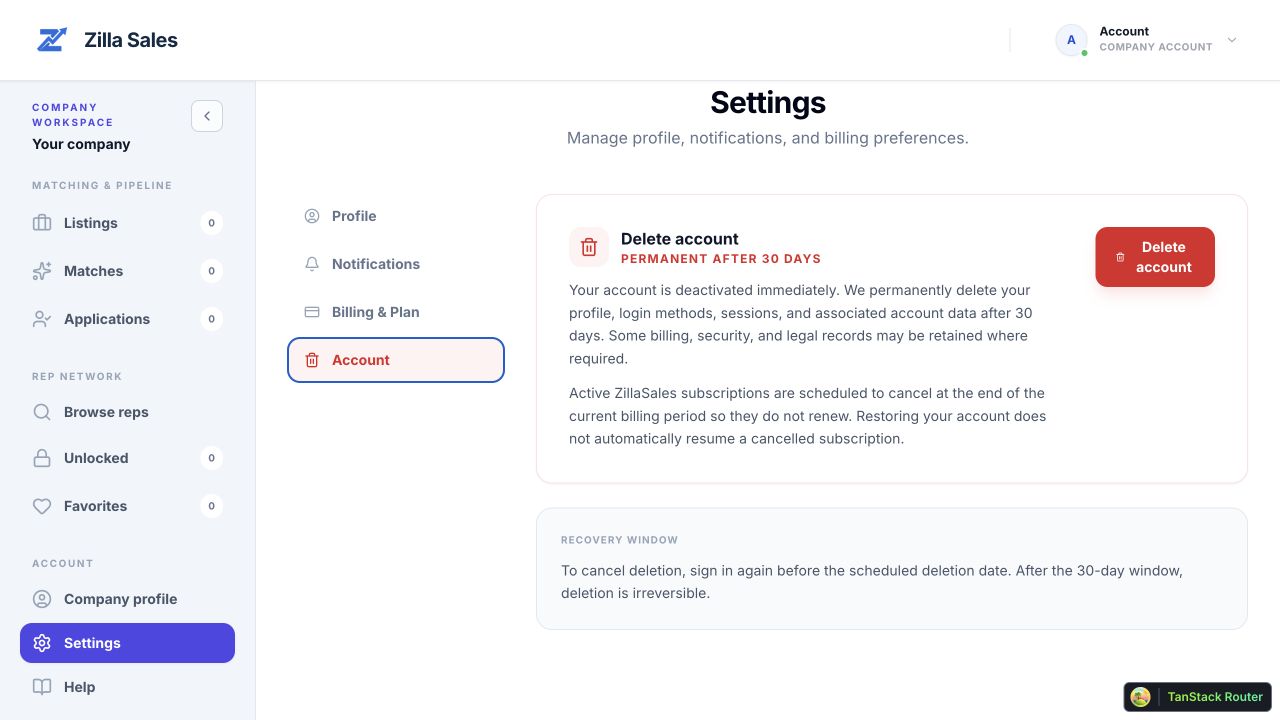
Delete your account
- Sign in and open Settings.
- Select the Account tab.
- Select Delete account.
- Enter the email address currently attached to the account.
- Select Delete account in the confirmation dialog.
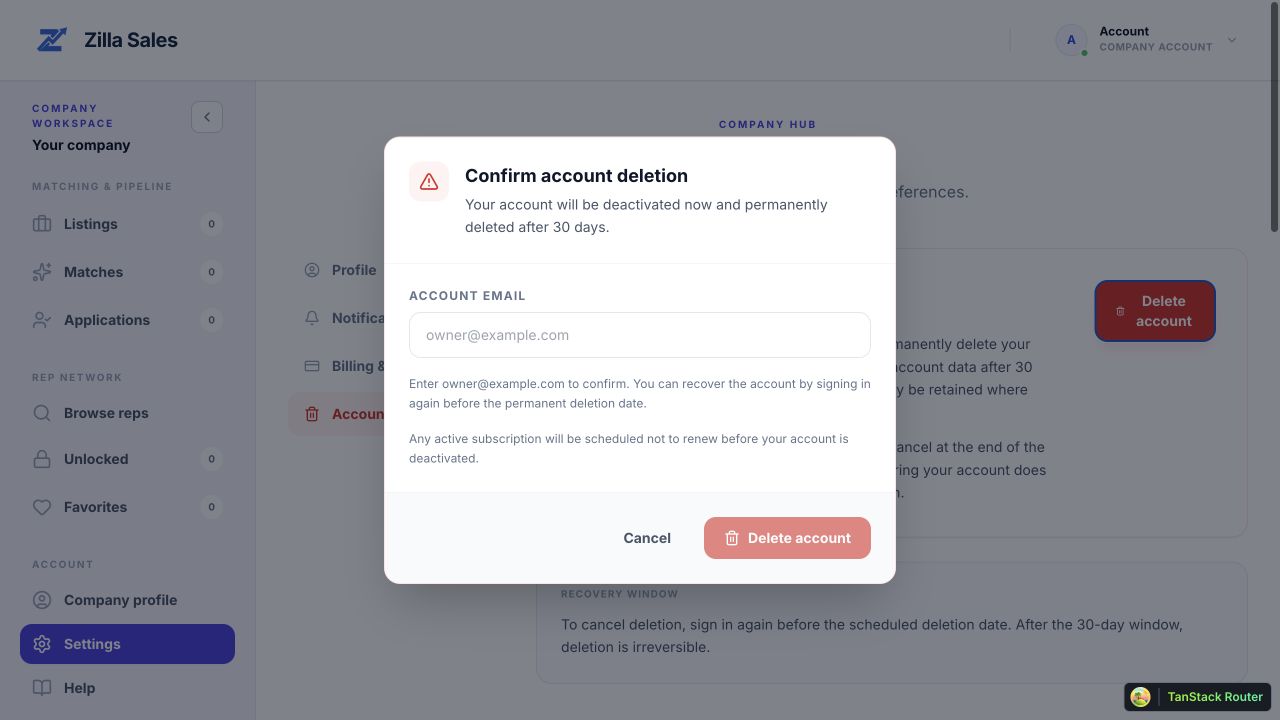
You are signed out and normal account access stops immediately. Email notifications are disabled, and your profile, login methods, sessions, and associated account data are permanently deleted after 30 days. Zilla Sales may retain limited billing, security, or legal records when required.
If you have an active subscription
Before the account is deactivated, Zilla Sales schedules active self-service and Managed Campaign subscriptions to cancel at the end of their current billing periods. They will not renew. Deleting the account does not create a refund for the current period.
If subscription cancellation cannot be scheduled safely, the deletion request does not proceed. Try again or contact support@zillasales.com.
Recover your account
Sign in with the same email address before the scheduled deletion date. You will be sent to the recovery screen. Select Restore account to cancel permanent deletion.
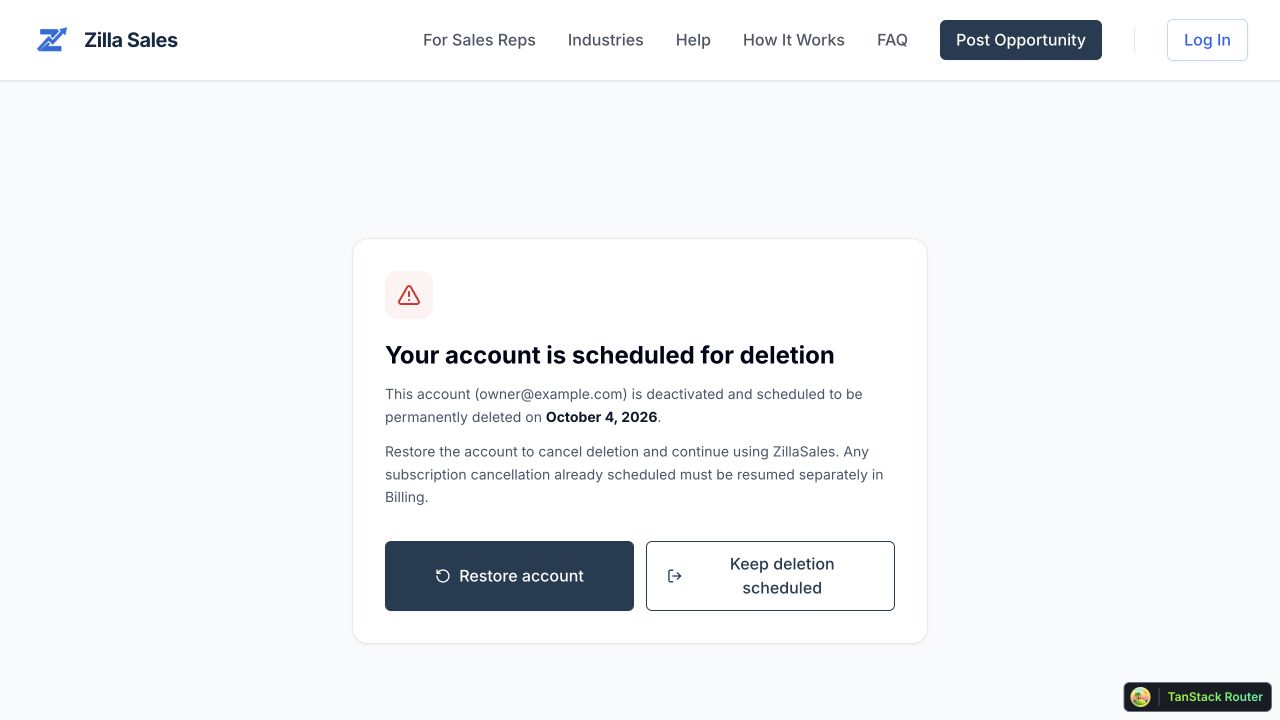
Restoring the account does not automatically resume a subscription whose cancellation was already scheduled. Company users can review the subscription in Settings → Billing & Plan and use the billing portal if they want to resume it. After the 30-day recovery period, account deletion is irreversible.
Related guides
Was this article helpful?
Tell us whether this answered your question.