
Account
Billing and portal access
Where to view subscription details and perform billing portal actions.
Billing actions for company accounts are managed from Settings. This is where you confirm the plan, billing interval, renewal status, payment method, and invoice history.
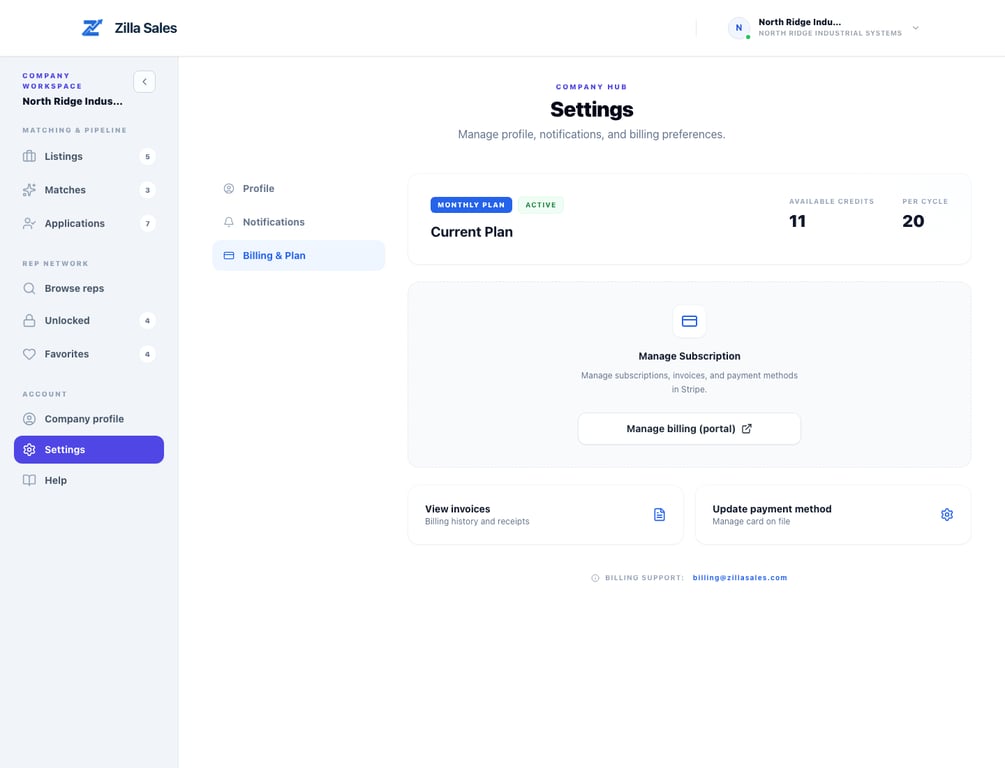
What you can do in billing
- Start or upgrade a subscription plan.
- Open the billing portal to update your payment method.
- Review invoices and transaction history.
- Confirm the billing interval and renewal status.
- Confirm whether your plan includes available unlock credits.
Understand renewals before checkout
Launch and Growth are available monthly or annually and renew on the interval displayed at checkout. Managed Campaign is a separate $999-per-month subscription. Its three-month minimum is billed upfront at $2,997, after which it renews monthly. A contact credit unlocks available details for one profile; it does not purchase an application, reply, or meeting.
Cancellation and refunds
Cancelling stops future renewals and normally leaves access active through the paid period shown in the billing portal. Cancellation does not otherwise create a retroactive refund. First-time paid customers should contact support within the stated 30-day guarantee window if they believe its conditions apply.
Recommended monthly billing review
- Confirm your current plan still matches active hiring volume.
- Check recent unlock activity and remaining credit runway.
- Verify the next renewal date and amount.
- Verify card expiration and billing contact details.
- Export invoices for finance reconciliation.
Plan changes and impact
- Upgrades usually apply immediately.
- Downgrades may take effect at the next billing cycle, depending on current subscription state.
- If billing fails, access to paid actions, including contact unlocks, can be limited until resolved.
- Managed Campaign is a separate hands-on subscription and is not automatically included in Launch or Growth.
Team members and billing
Only the account owner can change the plan, open the billing portal, update payment details or download invoices. Team members see the shared plan, users and credit balance in Settings → Billing & Plan but cannot change them. Ownership can be transferred from Settings → Team. See Team access.
Troubleshooting billing access
- Ensure you are logged in as a company user.
- If the billing section is missing, confirm account role and plan state.
- If payment succeeded but the plan is not active, contact support with the invoice or checkout email and the company name.
- If the portal fails to load, retry in a clean browser session.
Related guides
Was this article helpful?
Tell us whether this answered your question.